Inventory baselines, crawl signals, and Google Search Console insights in one dashboard—so you can act on SEO data instead of guessing
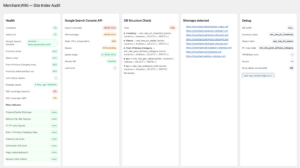
Merchant.WiKi Site Index Audit Plugin for WordPress rebuilds URL inventories, caches sitemaps, refreshes on-site SEO signals, and fuses Google Search Console data so you can export blockers, manual indexing queues, content pruning sheets, and launch snapshots without giving DB access.
Who Merchant.WiKi Site Index Audit Plugin is For
• In‑house SEO teams handling migrations and releases without full GSC access.
• Agencies/consultants exporting normalized CSVs without touching the client’s production DB.
• Editorial teams spotting stale evergreen posts and triggering Gemini briefs in one click.
• Technical leads tracking “before/after” launch deltas through snapshots and CLI automation.
Key Capabilities
• Rebuild Inventory – loads every public URL into mw_url_inventory; no APIs required.
• Prepare / Cache Sitemaps – downloads the sitemap index + children for instant coverage checks
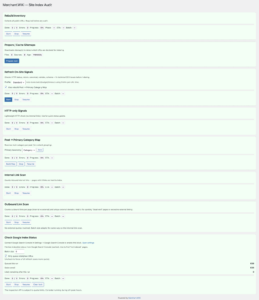
• Refresh On‑Site Signals – gathers HTTP status, redirects, canonical, robots, schema, sitemap flags.
• Internal / Outbound Link Scan – surfaces orphans, weak pages, and “dead ends” with zero outbound links.
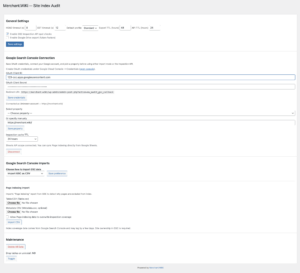
• Google Search Console integration – Page Indexing CSV import + Inspection API with quota guardrails.
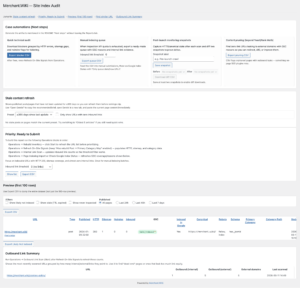
• Priority: Ready to Submit – filters HTTP 200 URLs in sitemaps with ≤N inbound links for manual indexing.
• Stale Content Refresh – finds pages ≥365 days old and opens Gemini with a pre-written English brief.
• Find Similar URL – lookalike finder by HTTP/index/link/profile with one-click CSV export.
• Case automations & snapshots – preset filters, WP‑CLI flows, gzipped JSON snapshots (wp mw-audit next-steps …).
How It Works
- Install on WordPress 6.7+ / PHP 8.0+ and open the Merchant.WiKi Audit menu.
- Run queues in Operations (Inventory → Sitemaps → Refresh Signals → optional link scans / HTTP-only).
- (Optional) Connect Google Search Console via OAuth client ID/secret, import Page Indexing CSVs, or enable the Inspection API.
- Use the Reports screen with saved presets like “Quick audit,” “Manual indexing,” and “Post-launch QA,” plus Case automations.
- Export CSVs, save launch snapshots, compare diffs, and drive automations with wp mw-audit next-steps.
Typical Playbooks
• Quick technical audit – Inventory → Sitemaps → Refresh Signals → Internal links; filter HTTP ≠ 200, in_sitemap = 0, noindex = 1, export blockers.
• Manual indexing when Inspection API quota is gone – Inventory + Internal links + Page Indexing CSV to produce “Discovered, not indexed” queues.
• Post-launch monitoring – HTTP-only Signals plus Refresh Signals; capture pre/post snapshots to prove redirect and canonical health.
• Content pruning / refresh – Inventory → Internal + Outbound scans → GSC signals to flag non-indexed, zero-link pages for improve/redirect/410 decisions.
Technical & Safety Notes
• Requires WordPress 6.7+, PHP 8.0+, cron/loopback enabled.
• Beta software: install on staging or a fresh backup first.
• Always back up files + DB before large queue runs or deletions.
• Merchant.WiKi ships the plugin “as is” and isn’t liable for downtime or data loss.
Screenshot Links